From brief to banners, step by step.
Six steps take you from your website to banners running on your ad platforms. You decide at every step; the engine does the composing, measuring and packaging.
Your brand, read from your website
Paste your website address. Sizewright reads your logo, colors, fonts, tone of voice and the kind of imagery you use, and drafts a brand kit. You correct what it got wrong, upload a better logo or font, and add rules such as words to avoid.
- You give
- Your website address, or your logo and colors by hand
- You get
- A brand kit you can edit and reuse for every campaign
- Credits
- 3 credits per import; a kit made by hand costs nothing

Colors
- #1f3a34
- #e8a33d
- #f7f3ec
- #1a1a17
- Headings
- DM Serif Display
- Text
- Manrope
- Tone of voice
- Warm, direct, no jargon
Example. The brand kit for Noordkaap, a fictional coffee roaster. A brief in a few minutes
One page with what you want to achieve, what you are promoting, the offer and the button text, the look you are after, and the formats and languages you need. It saves as you type.
- You give
- Goal, message, offer, landing page, formats and languages
- You get
- A brief the art direction works from
- Credits
- Free
- Goal
- Sale or offer
- Message
- Freshly roasted coffee, delivered every week
- Offer
- −20% on the first box
- Formats
- 8 display and social sizes
- Languages
- English and Dutch
Example. The brief for Noordkaap, a fictional coffee roaster. Four directions to choose from
Sizewright develops six art directions for your brief, checks them, and shows you the best four, each previewed in your main format with its headline, layout family and the reasoning behind it. Choose one, ask for four variations of it, or change the brief.
- You give
- Your choice
- You get
- Four checked concepts, previewed and animated
- Credits
- 8 credits for four concepts; 7 for four variations
Example. Four concepts for Noordkaap, a fictional coffee roaster. Every size, composed
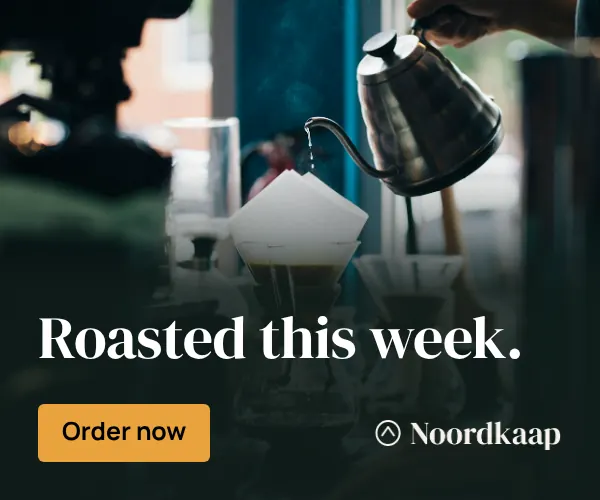
The engine composes every format and language you chose from the concept’s layout family, refits the copy for each size, renders the static and animated versions and checks each banner. Anything it cannot deliver is refunded automatically.
- You give
- The formats and languages you want
- You get
- A complete set, each banner checked, static and animated
- Credits
- 1 credit per format and language, at least 4 per build

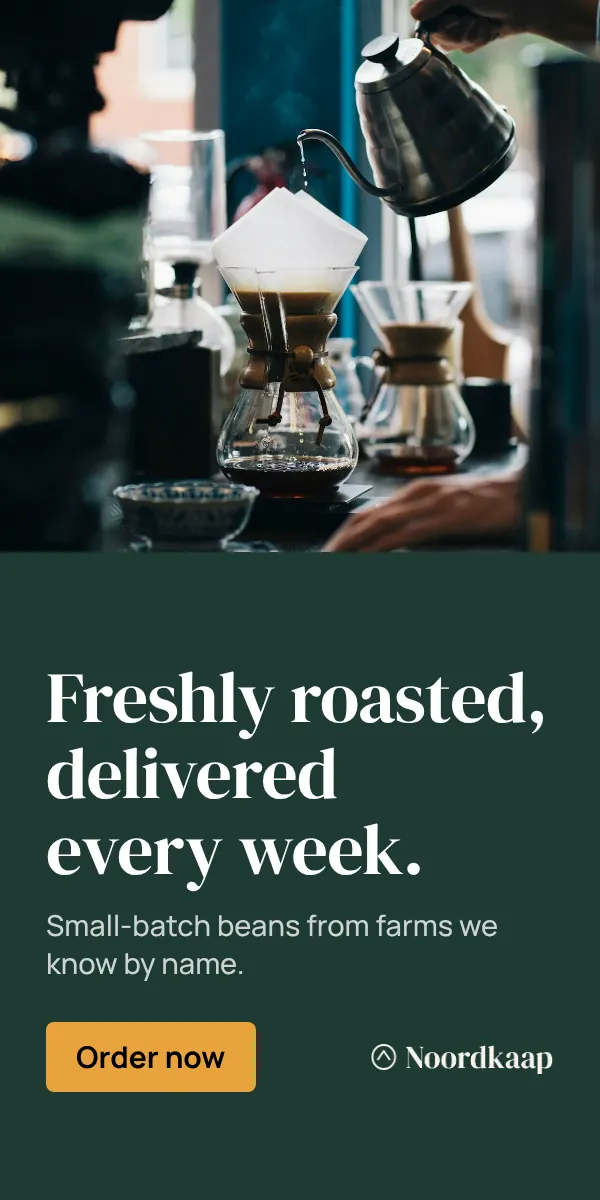
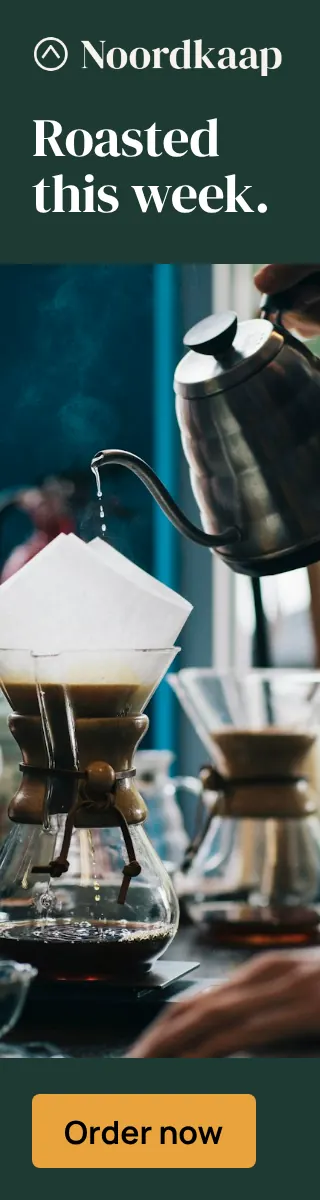
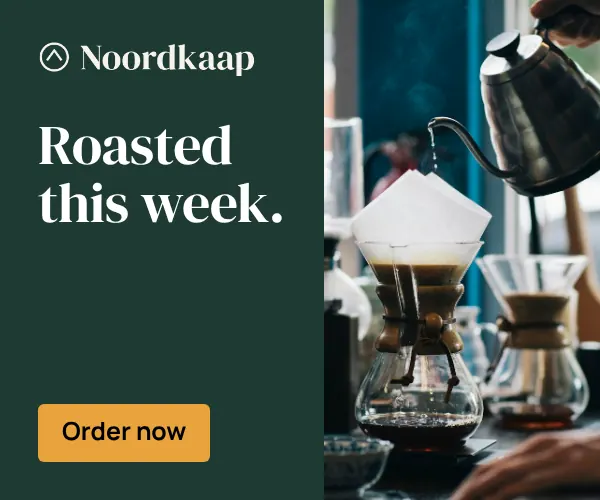

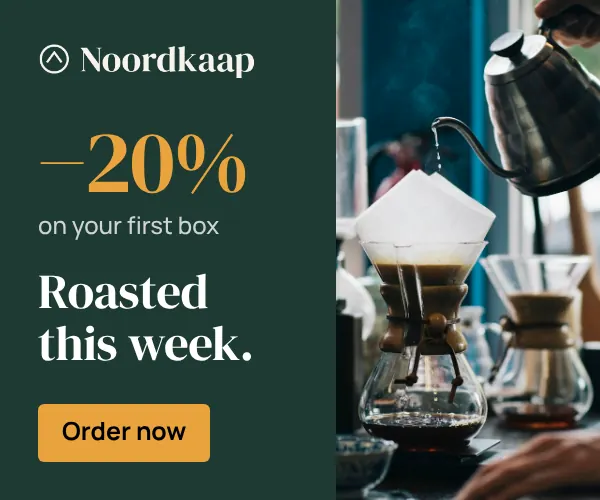
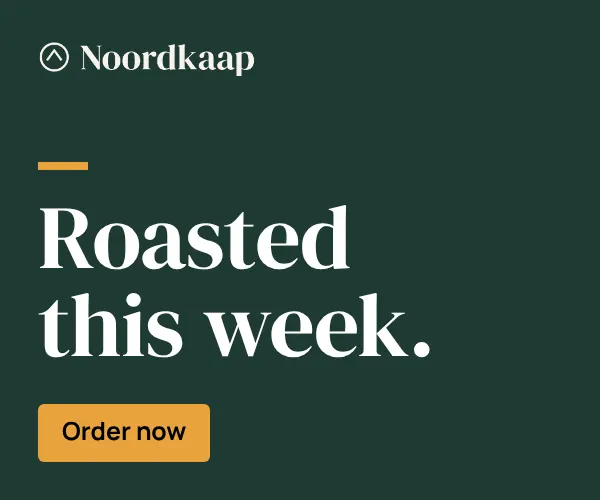
Example. Part of the set for Noordkaap, a fictional coffee roaster. Review, edit and approve
Change copy, swap an image or adjust the timing in the editor, and apply a change to the whole set at once. Comment with your team, then send your client an approval link: they see the set at its real sizes and approve or ask for changes without an account.
- You give
- Your changes, your team’s comments, your client’s approval
- You get
- An approved set, with every version kept
- Credits
- Free; rewrites and new images show their price on the button
Approval link · Noordkaap
2 of 3 approved
Changes requested
“Can the button say ‘Order today’?”
Approved
Approved
Example. A client’s approval link for Noordkaap, a fictional coffee roaster. Export for every platform
Pick the platforms you run on. Each package is checked against that platform’s specifications before you download it: file sizes, clickTag, animation length, backup images. Exports are free and you can repeat them as often as you like.
- You give
- Your platforms and click-through address
- You get
- Ready-to-upload packages, with a README of specs per package
- Credits
- Free, and free again
What each export package holds
Package Delivers Google Ads · HTML5Specs checked JPG or PNG, up to 150 KBHTML5 ZIP with clickTag, ZIP up to 600 KB Google Ads · imagesSpecs checked JPG or PNG, up to 150 KBAnimated GIF, up to 150 KB Campaign Manager 360 · DV360Specs checked JPG or PNG, up to 150 KBHTML5 ZIP with clickTag, ZIP up to 9,500 KB, backup image AdformSpecs checked JPG or PNG, up to 150 KBHTML5 ZIP with clickTag, up to 300 KB unpacked, backup image XandrSpecs checked JPG or PNG, up to 150 KBHTML5 ZIP with clickTag, backup image IAB HTML5Specs checked JPG or PNG, up to 150 KBHTML5 ZIP with clickTag, ZIP up to 150 KB, backup image MetaSpecs checked JPG or PNGMP4 video LinkedInSpecs checked JPG or PNGMP4 video TikTokSpecs checked JPG or PNGMP4 video PinterestSpecs checked JPG or PNGMP4 video XSpecs checked JPG or PNG, up to 5,120 KBMP4 video
The quality gate
1
Measured rules
Contrast against the actual pixels behind each line, minimum type sizes, safe zones, logo size and clear space, overflow, file size and animation limits, and the copy itself, compared letter by letter with what was approved.
2
A designer’s eye
A vision model looks at the finished banner the way an art director would: hierarchy, balance, crops, legibility at real size. Its notes are turned into concrete fixes.
3
Fix, or don’t deliver
Fixes are applied automatically: a stronger scrim, a better contrasting color, a shorter line, the next layout variant, a tighter crop. A banner that still fails is marked for your attention, left out of exports and approval links, and not charged.
Who does what
| Task | Done by |
|---|---|
| Headlines, sublines and button text in your tone | AI writes options; you approve |
| Choosing a layout family for the message | AI proposes; you choose |
| Imagery: generated, stock or your own | AI generates or selects; you can swap |
| Placing text, logo, image and button in every size | Layout engine |
| Rendering text in your fonts and colors | Layout engine, never AI |
| Checking every banner | Layout engine and vision model |
| Deciding what runs | You |
See it with your own brand.
Signing up is free, and every new workspace starts with a sample campaign you can open, edit and export.